Examining Information Through the Lezorqaluto Interface
The Lezorqaluto interface is the primary environment in which users review structured observations. This page explains what the interface provides, how its components function, and what users can accomplish through it.
Interface Components and Their Purpose
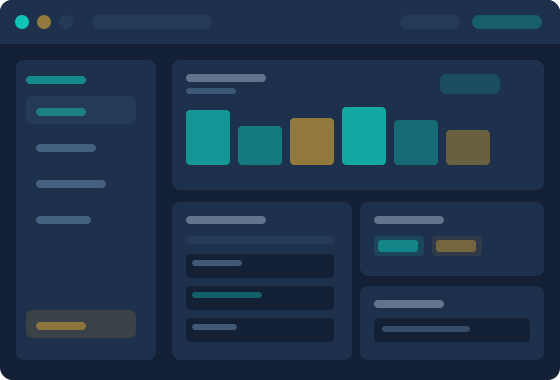
The review interface is organised into components, each with a distinct role in the examination process. The following explains them in practical terms.
Observation Navigator
The observation navigator provides a structured index of the information available in a user's current session. Records are grouped by category and labelled clearly, allowing users to move between sections without losing track of where they are in the broader dataset. The navigator persists across the review session so context is not lost when switching between sections.
Detail Panel
The detail panel displays the full content of a selected observation, including all associated fields and any relevant metadata about when and how the record was received. Neighbouring records are accessible directly from the detail panel, so users can compare adjacent entries without returning to the navigator.
Pattern Summary View
When a category contains a sufficient number of observations, the pattern summary view presents an overview of recurring elements and notable variations within that group. This view is intended to help users form an initial impression of a dataset before reviewing individual records in depth. It does not generate conclusions — it reflects what is structurally present in the data.
Comparison Layer
The comparison layer allows two or more observations to be placed side by side. Fields from each record are aligned so that differences and commonalities are immediately apparent. This component is particularly useful when reviewing records that share a category but differ in their specific values or attributes.
Verification Indicators
Lezorqaluto distinguishes between observations that have undergone additional review and those that have been received but not independently verified. Verification indicators appear alongside relevant fields and categories, giving users clear visual signals about the confidence level associated with each piece of information.
Session Reference Log
The session reference log maintains a record of the observations a user has examined during their current session. Users can return to previously viewed records without retracing their steps through the navigator. The log is cleared at the end of each session and is not retained between separate access periods.
The Review Process, Step by Step
Understanding how a typical review session unfolds helps users make the most of the interface from the outset.
Access Your Session
After access has been arranged, users are provided with the details needed to enter their review session. The interface loads with the observation navigator populated for the user's assigned dataset.
Orient Through the Navigator
Begin by reviewing the category structure in the navigator. Understanding how information has been grouped provides a useful foundation before moving into individual records.
Examine Records and Patterns
Move between the detail panel, pattern summary, and comparison layer as needed. The interface is designed to support non-linear exploration — there is no required sequence for reviewing observations.
Use the Reference Log
Return to earlier observations using the session reference log when comparisons or follow-up reviews are needed. The log keeps recently examined records accessible without interrupting the current review path.
Service Introduction
Return to the homepage for an introduction to the Lezorqaluto service and its core purpose.
Platform Scope
Read about how the service is positioned, its limits, and what to know before requesting access.
Begin an Enquiry
Submit an access request or send a question to the Lezorqaluto support team.